Your week, always solved.
An always-on calendar manager for Google Workspace and Microsoft 365.
How it works
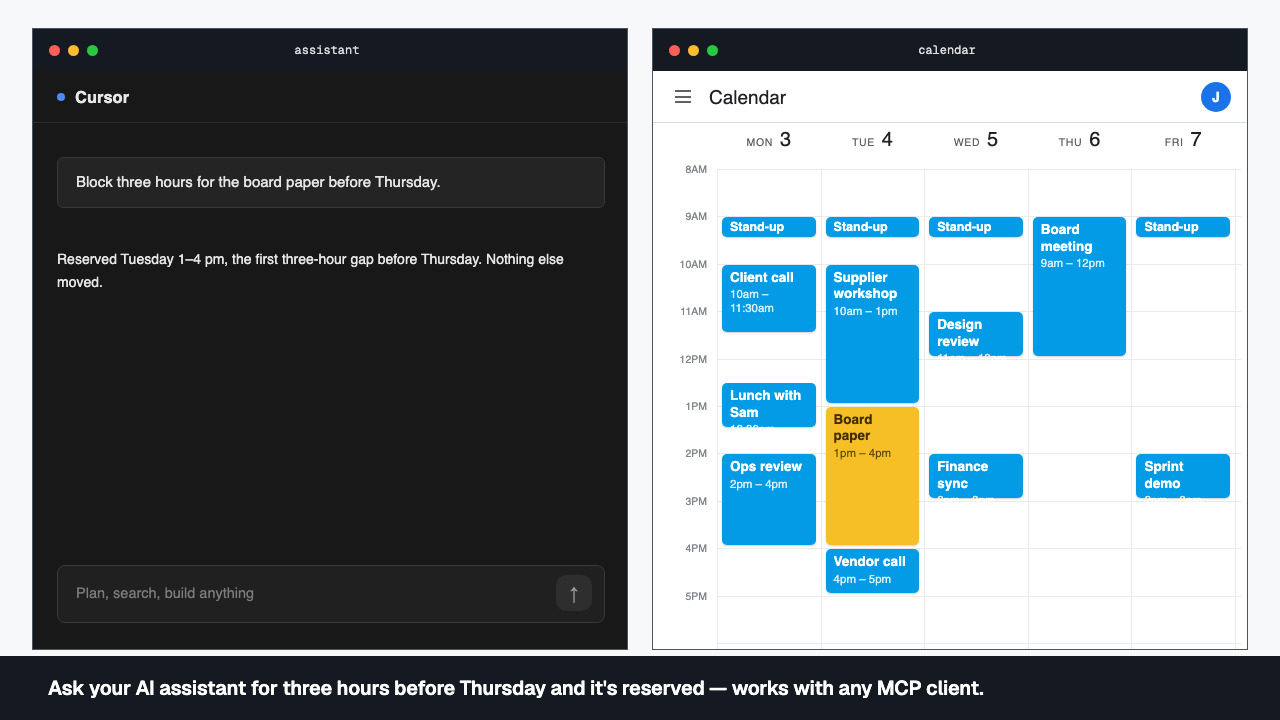
Tell your assistant
Tell the assistant you already use what needs doing, by when, and what matters most. Any MCP client will do.
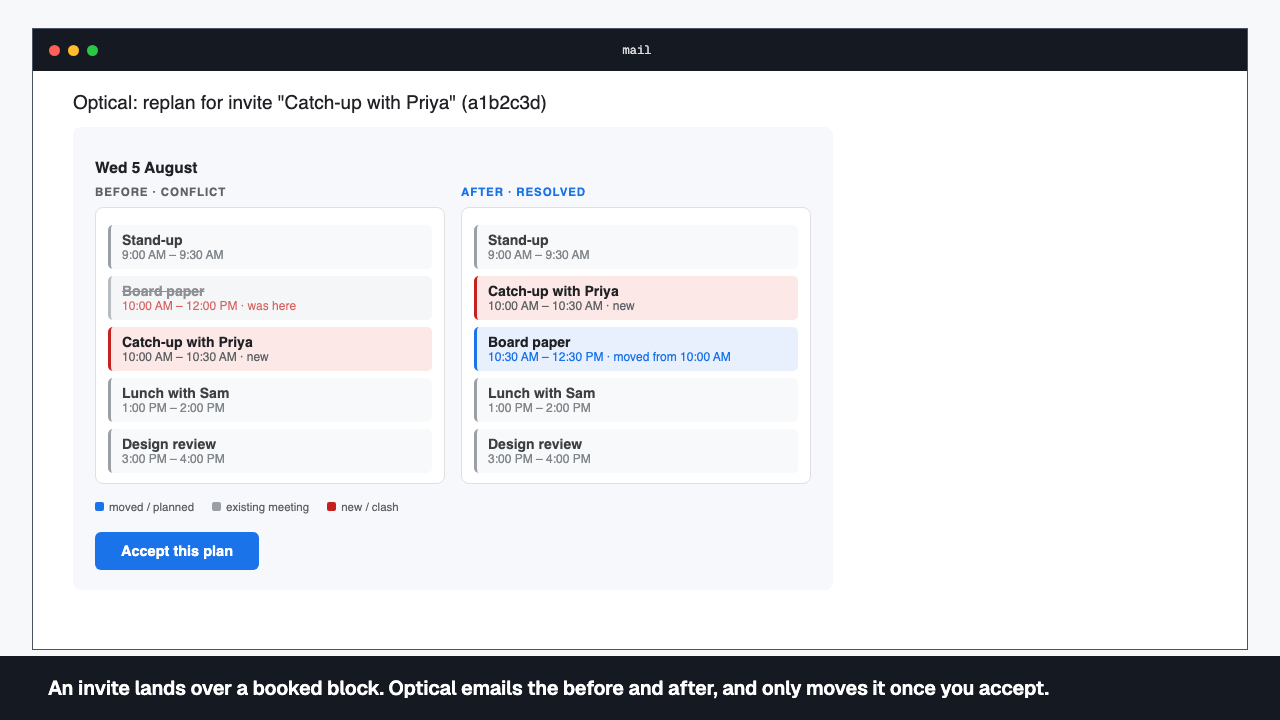
Optical solves the week in your calendar
It fits the work around your meetings. When something changes, it proposes a new plan by email, and nothing moves until you accept.
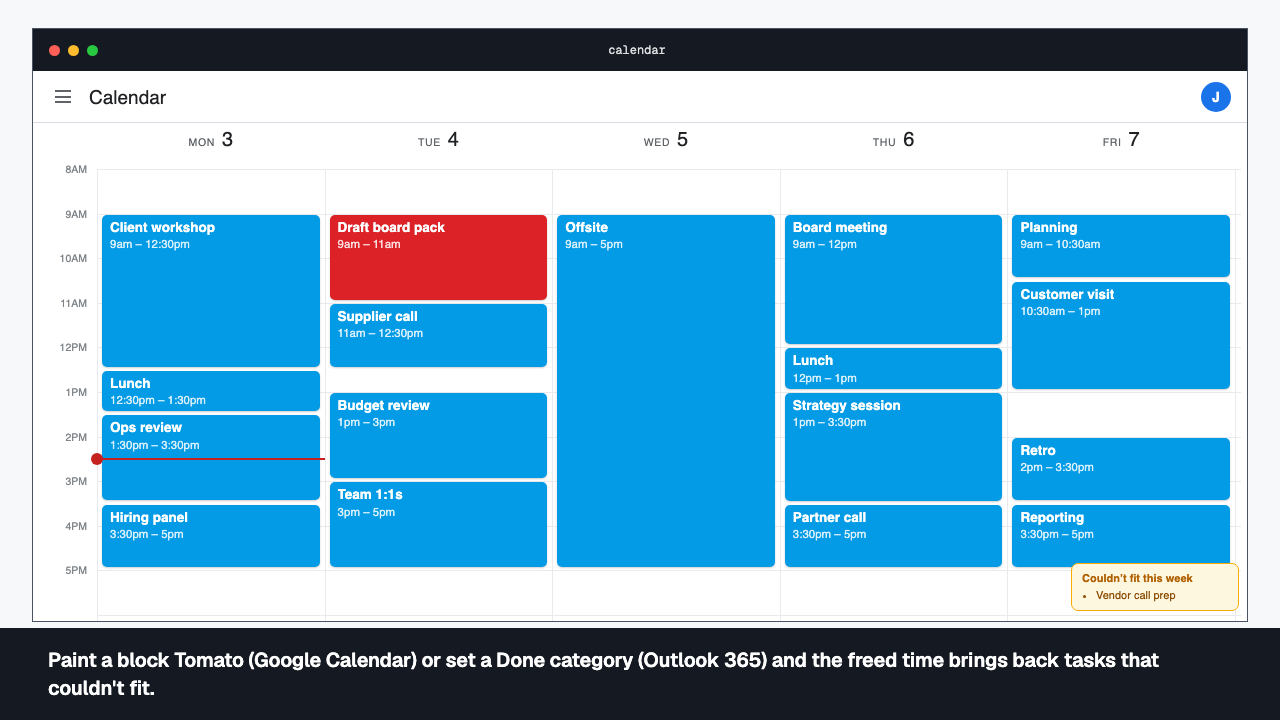
Accept the email; mark things done in the calendar
One click on Accept applies the plan. Paint a finished task Tomato in Google Calendar, or set a Done category in Outlook, and the freed time goes to work that couldn't fit.
There is no app.
There is your calendar, your assistant, and an email with an Accept button.
See it work
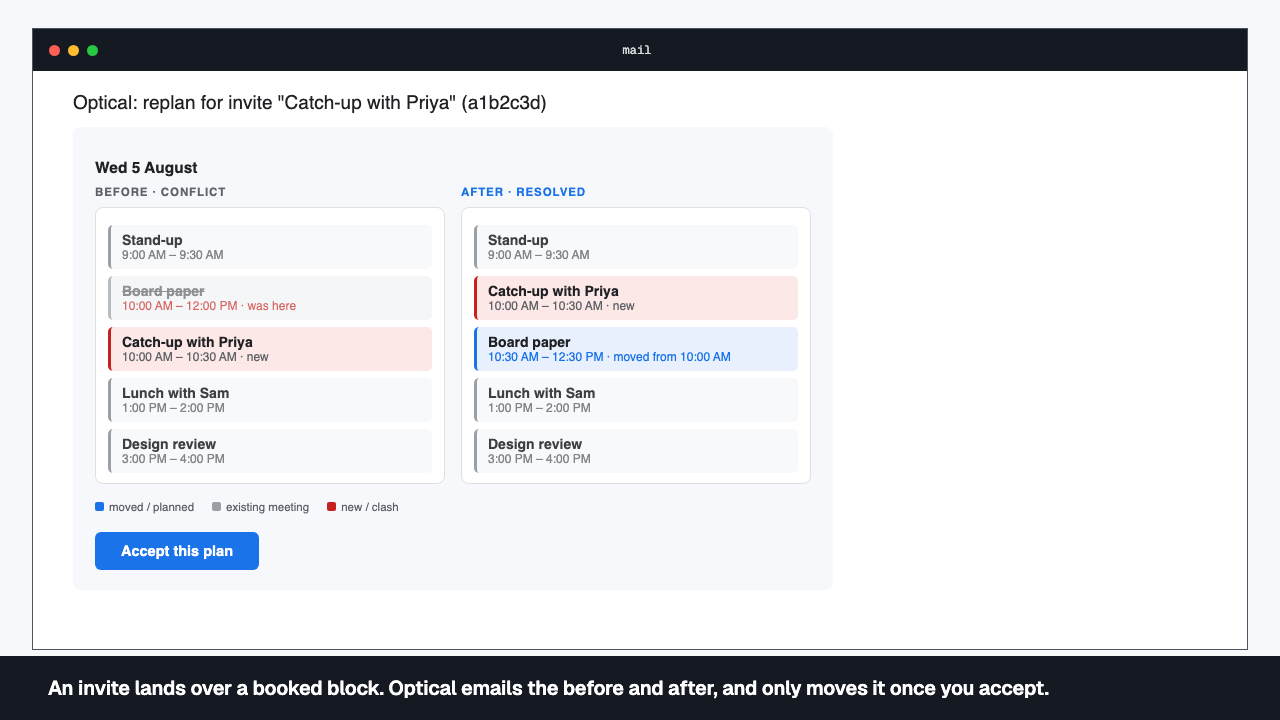
An invite lands over a booked block. Optical emails the before and after, and only moves it once you accept.
Every clash resolved. No manual calendar tetris.
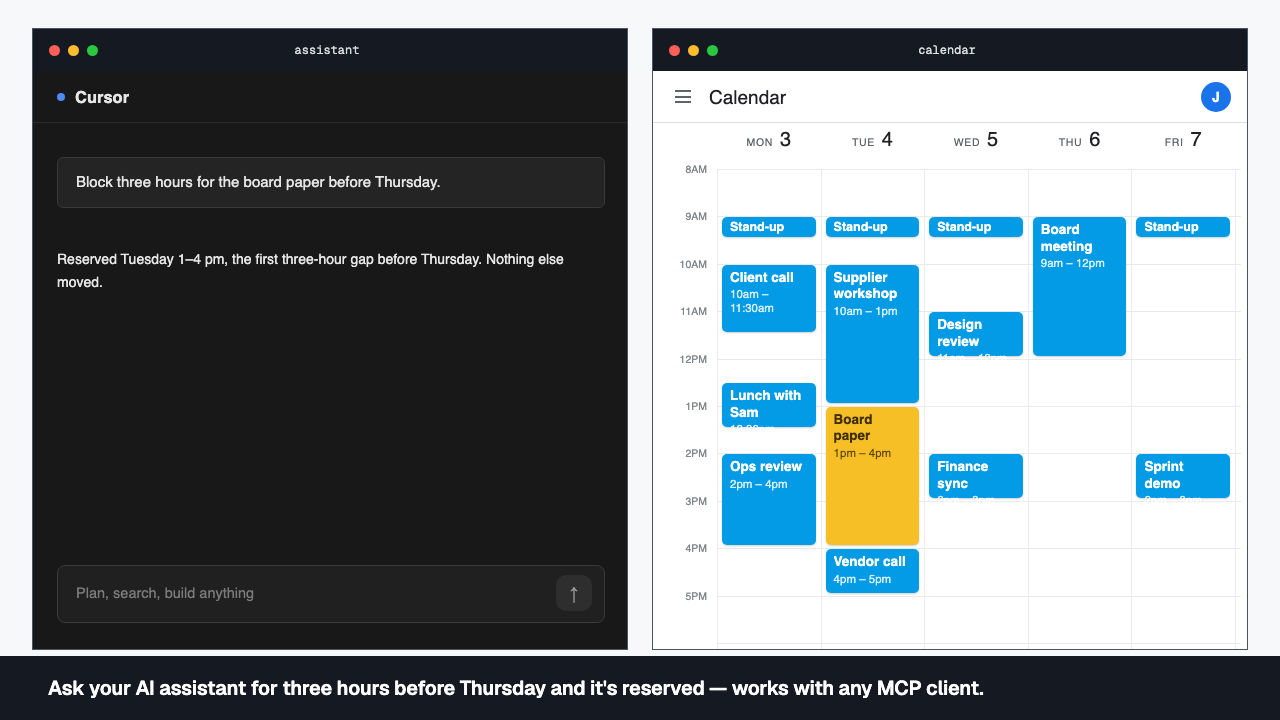
Ask your AI assistant for three hours before Thursday and it's reserved — works with any MCP client.
Say it once. It's on the calendar.
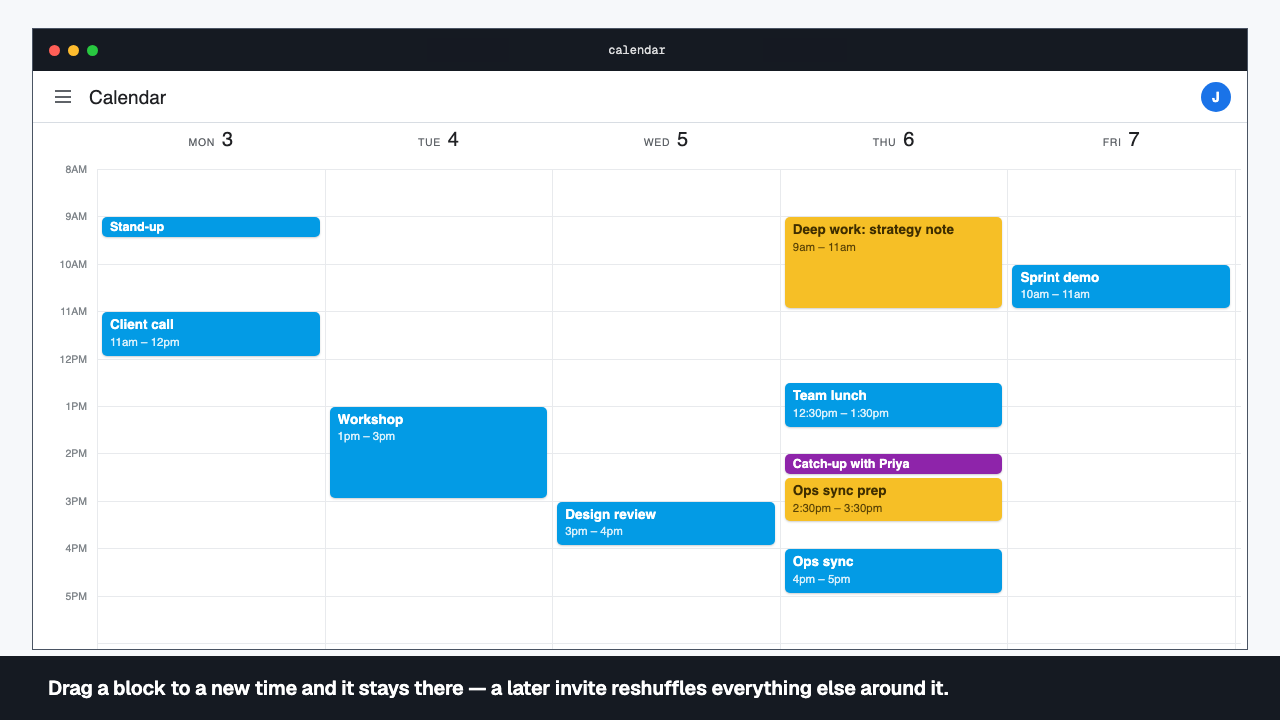
Drag a block to a new time and it stays there — a later invite reshuffles everything else around it.
You are still the boss of your week.
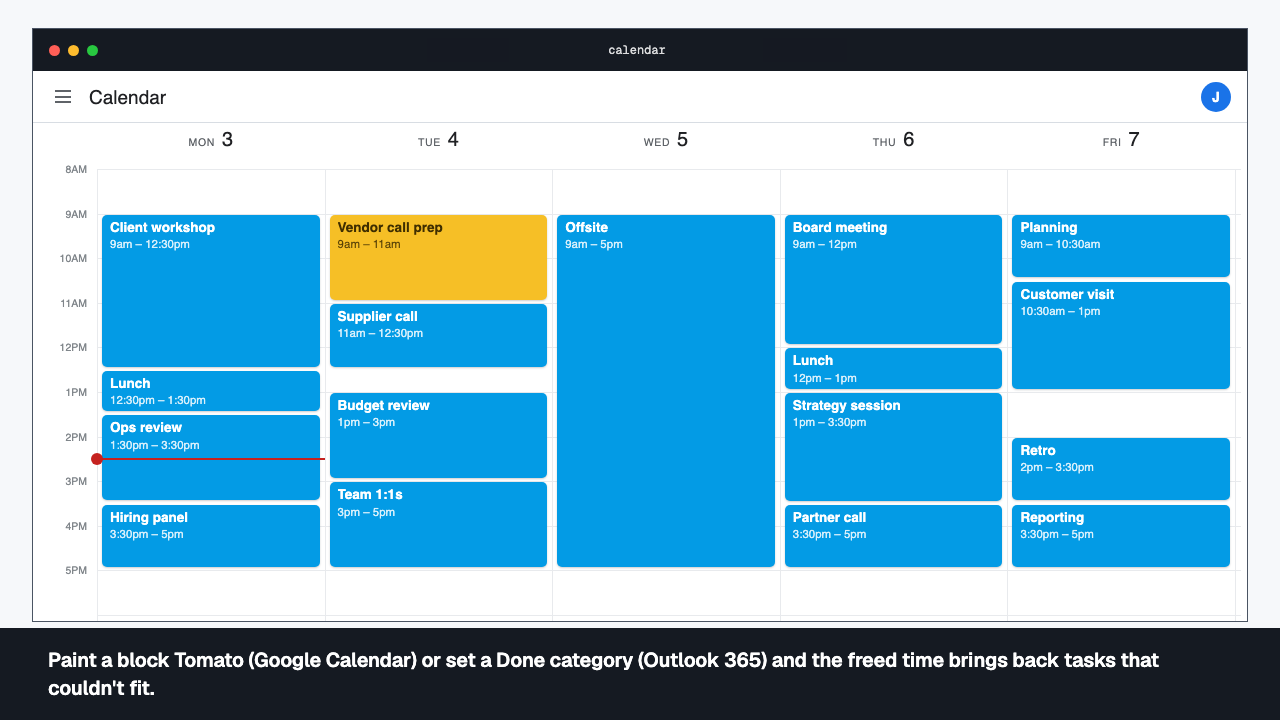
Paint a block Tomato (Google Calendar) or set a Done category (Outlook 365) and the freed time brings back tasks that couldn't fit.
Done means done — and nothing stays lost.
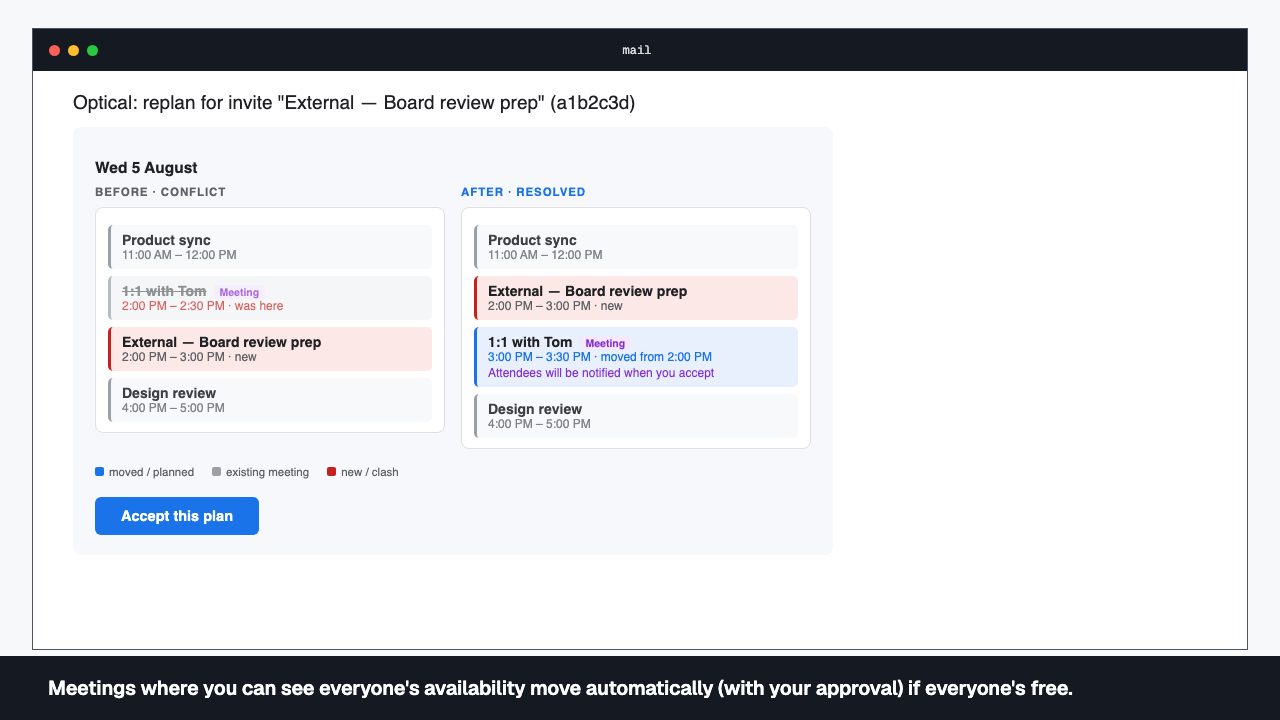
Meetings where you can see everyone's availability move automatically (with your approval) if everyone's free.
Booked over? Solved.
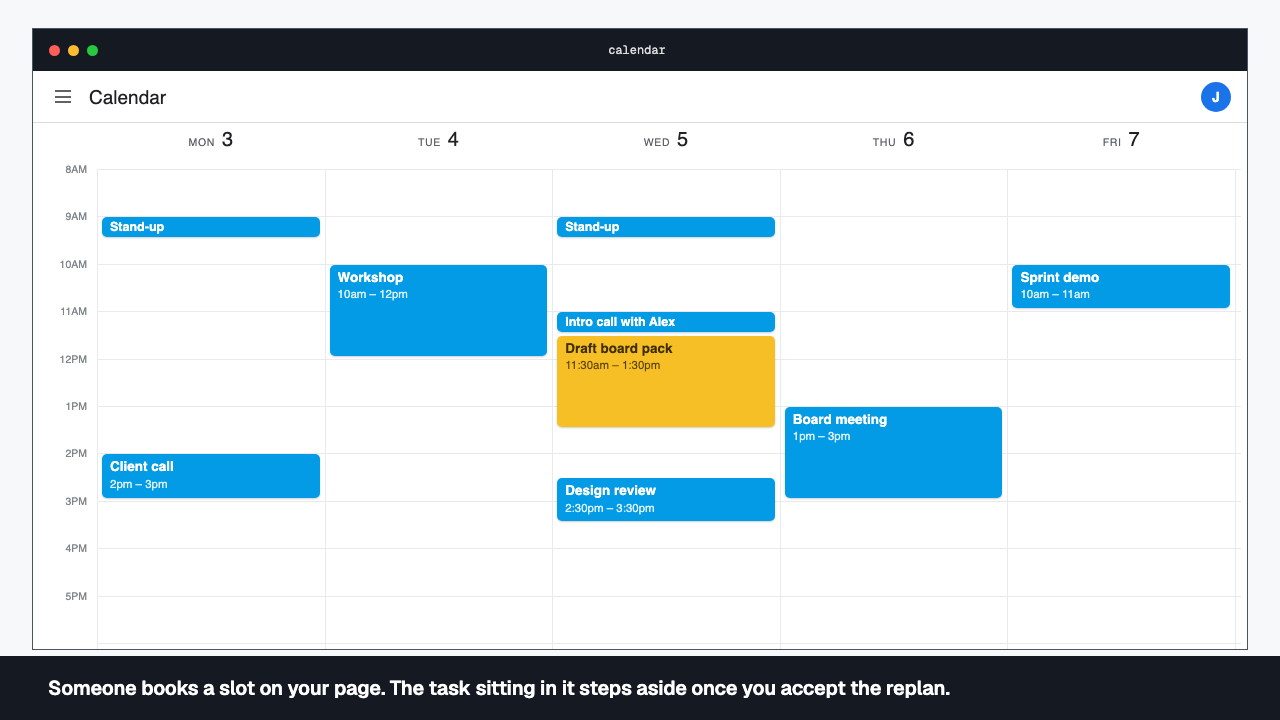
Someone books a slot on your page. The task sitting in it steps aside once you accept the replan.
A booking page for external meetings.
Runs in your Cloudflare account. Your deployment, your rules.
Optical deploys into your own Cloudflare account, for your organisation. Each person sees only their own tasks and plans.
An exact constraint solver, not a heuristic.
- Your assistant
- Trust boundaryYour Cloudflare account
- codemode MCP
- Optical Worker
- D1 database
- KV
- Fallback solver
- Google Workspace or Microsoft 365
See it on your calendar.
Request a demo and we'll walk Optical through a real week.
Business Source License 1.1 — free below AUD $10m group revenue. Read the licence